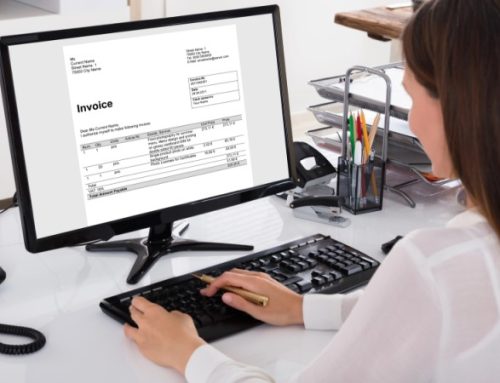
A client project is stored on the office computer, the latest feedback is buried in an email thread, and the file you need is missing from your laptop. Anyone working for themselves will recognise these situations. Managing files can quickly become time-consuming, especially when several projects run simultaneously and clients or external partners are involved.
Cloud services can help by keeping documents in a shared location and making them available across different devices. For the self-employed and freelancers, their uses range from simple file sharing to applications for accounting, project work and customer management.
The right solution depends on how you work. What matters is having the features you need, protecting your data, and managing backup and retention reliably.
Cloud Computing Goes Beyond Online Storage
A cloud provides IT resources over a network. These can include storage, computing power or ready-to-use applications. The three main service models differ in what the provider supplies and which responsibilities remain with the user:
- Software as a Service (SaaS): A ready-to-use application is provided as a service, for example for file sharing, accounting or collaboration.
- Infrastructure as a Service (IaaS): The provider supplies basic resources such as virtual servers and storage. Operating systems and custom applications still need to be managed.
- Platform as a Service (PaaS): A technical platform provides the foundation for developing and running custom applications.
Ready-to-use applications are particularly relevant to the everyday work of many self-employed professionals. Those developing their own software or working with specific technical requirements may need a platform or additional infrastructure. Source: BSI — Cloud Computing Fundamentals and Service Models
Deployment models are a separate consideration: a private cloud is dedicated to a single organisation, while a public-cloud provider supplies services to multiple customers. A private cloud can also be operated externally. The label alone therefore does not determine maintenance responsibilities or security levels.
Access Files Across Multiple Devices
Many self-employed professionals move between the office, home, client meetings and working on the go. Cloud storage can make work files available on the devices intended for this purpose. Synchronisation keeps changes aligned between connected devices and cloud storage.
It is worth checking how each application handles files. Some are stored locally and remain available without an internet connection. Others must be downloaded first or can only be accessed online.
For mobile working, essential documents should therefore be made available in advance. Large files may also require additional time to upload or download.
Collaborate with Clients and Project Partners
A clear folder structure helps with shared projects: each client has a separate area, working versions are clearly named, and completed documents are kept apart from ongoing work.
For example, a designer might share drafts for client approval. The client receives access to the relevant files, while internal cost calculations remain in a separate area. The same approach can be used to organise the handover of records to an accountant or tax adviser.
The available options depend on the service. User accounts, project-specific permissions and protected sharing links serve different purposes. A download link, for example, allows a file to be handed over without automatically creating an ongoing collaboration arrangement.
The existing TeamDrive page for the self-employed and freelancers, in German describes mobile access, file sharing and collaboration as key use cases.
Assess Cloud Costs Against Your Actual Needs
A cloud service can reduce the effort involved in maintaining your own infrastructure. Whether it offers good value, however, depends on how your requirements compare with the features included.
Additional costs may apply beyond the monthly or annual fee, such as charges for extra users, more storage, specific features or help with setup. The time spent managing the service should also be considered.
For a useful comparison, first establish how much storage you need, how many people you collaborate with and which features you use regularly. A photographer handling extensive image files has different requirements from a consultant who mainly shares documents.
Contract length and data export are also relevant. If you change providers, you should be able to transfer your documents in a usable format.
Data Protection Also Applies to One-Person Businesses
Anyone processing personal data for business purposes must comply with the applicable data protection requirements. This may include client contact details, contracts or information about project participants. Having a small business does not remove these obligations.
When using a cloud service, the provider’s role needs to be established. If it processes personal data on your behalf, a contract under Article 28 of the GDPR is generally required. This governs matters including instructions, security measures and the use of additional processors.
Processing locations and potential transfers to third countries must also be assessed. A server located in Germany alone does not guarantee full GDPR compliance. Contracts, technical safeguards and your own use of the service also matter.
Personal data should only be processed and made accessible for defined purposes. Retention and deletion rules therefore form part of organising your files. Source: GDPR, particularly Articles 5, 28, 32 and 44 onwards
Encryption and Secure Access Work Together
When handling confidential documents, check how the service protects data during transmission and while stored. With end-to-end encryption, it is also important to understand who controls the keys and how access can be recovered if credentials or keys are lost.
Your own devices and user accounts need protection too. This includes up-to-date software, strong passwords and, wherever possible, two-factor authentication. Encrypted storage does not protect against every risk on an inadequately secured laptop.
A consistent sharing process helps: check the recipient, define the necessary access and remove permissions when the collaboration ends. Revoking access cannot, however, retrieve copies that have already been downloaded. Source on encryption and access protection: BSI — Encrypting, Deleting and Backing Up Data, in German
Synchronisation Does Not Replace a Backup
Synchronisation keeps files consistent across multiple devices. It can also propagate unwanted changes: if a file is accidentally deleted or overwritten, that change may be replicated across connected storage locations.
A backup serves a different purpose: it allows an earlier state to be restored. Version history can help, but its coverage and retention period need to be assessed.
Before using a service, establish three things: which data is backed up, how long backups are retained and how recovery works. An occasional recovery test confirms whether important documents can actually be restored completely and remain readable.
For particularly important data, an additional backup kept separate from active working files may be appropriate. Source: BSI — Planning and Checking Backups, in German
Retain Tax Records Correctly
Self-employed professionals and freelancers must also retain tax-relevant records in accordance with the applicable rules. In Germany, there is no single ten-year retention period covering every document.
The following periods generally apply:
| Records | Retention period |
|---|---|
| Invoices and accounting vouchers | 8 years |
| Books, inventories and annual financial statements, where retention is required | 10 years |
| Received and sent commercial or business correspondence, and other tax-relevant records | 6 years |
The applicable obligation depends on the type of record and the relevant legislation. Retention periods generally begin at the end of the relevant calendar year; longer retention may be required in certain circumstances. Sources: Section 147 of the German Fiscal Code, in German, Section 14b of the German VAT Act, in German
Germany’s GoBD set out requirements for keeping and retaining electronic tax-relevant records. These include traceability, completeness and protection against undetected changes.
An ordinary cloud folder in which files can be freely replaced or deleted does not automatically meet these requirements. Both the technology and the procedures actually followed are decisive. Documentation must explain how records are captured, processed, retained and retrieved. Its scope depends on the complexity of the business. Source: German Federal Ministry of Finance — GoBD, in German
Introduce the Cloud into Your Daily Work
A manageable process is a good starting point, such as sharing project documents with a client. This allows you to check whether the folder structure, sharing permissions and access work on the devices you need.
Other tasks can then be added. Active project files, backups and records subject to retention requirements should each be handled appropriately. A clear folder structure and consistent rules make this easier, including when more people become involved later.
For information about implementation with TeamDrive, visit our page on cloud solutions for the self-employed and freelancers.